
Brokerage margins
Customer rates, carrier costs, and load closeout.
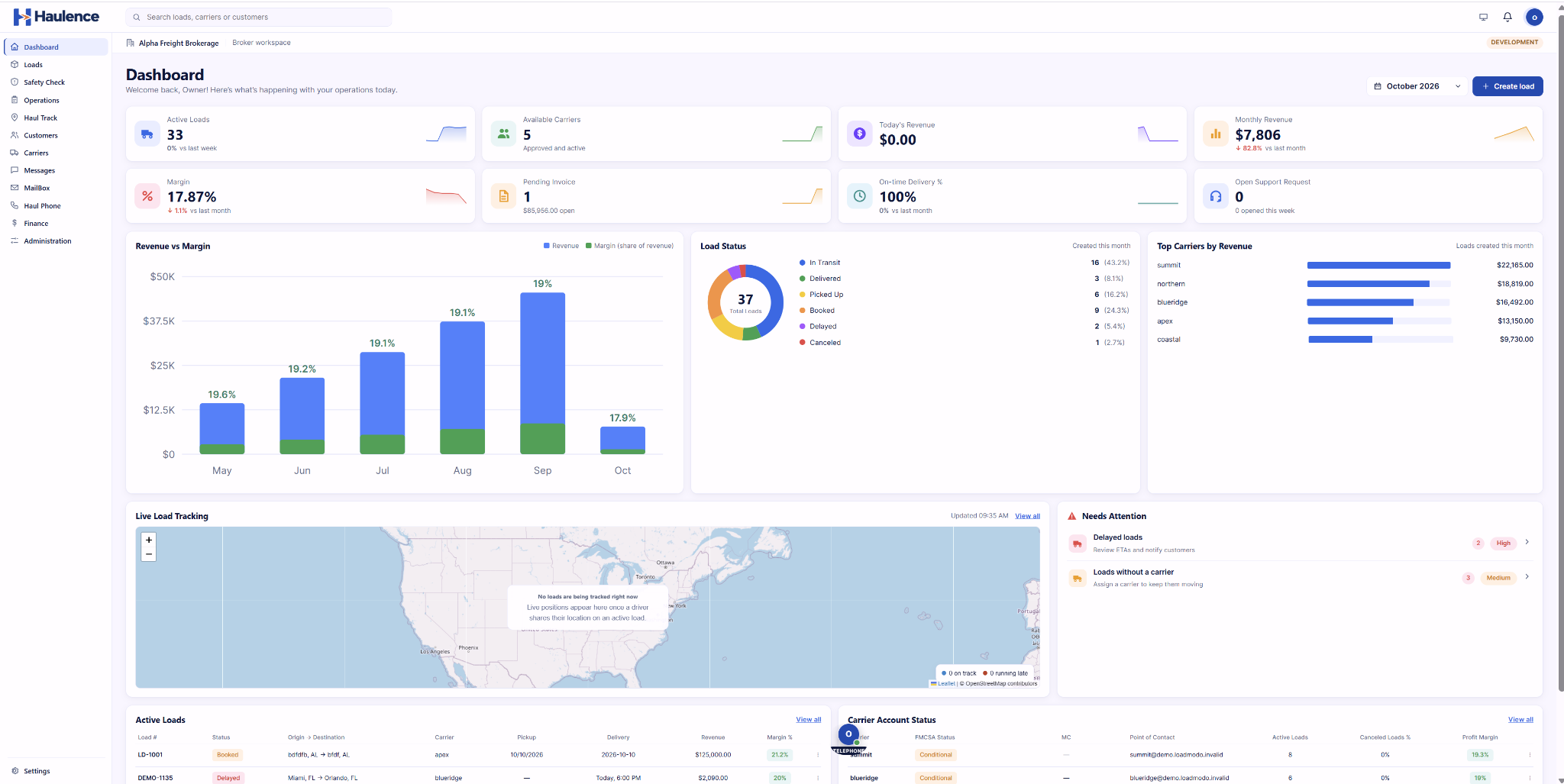
Brokerage margins and fleet operating costs need different workflows. Haulence gives freight brokers and trucking companies dedicated product choices, with load details, documents, and financial decisions at the center.
| Driver | Truck | Route | Status |
|---|---|---|---|
| J. Walker | T-104 | Chicago–Atlanta | In transit |
| S. Patel | T-112 | Dallas–Houston | At pickup |
| M. Rivera | T-108 | Detroit–Toronto | In transit |
| A. Chen | T-121 | Next assignment | Available |
Customer rates, carrier costs, and load closeout.
Drivers, equipment, dispatch, and trip costs.
Rate confirmations, delivery records, and invoice review.
Connect your shipper relationships, carrier network, and load pipeline in a workspace made for brokerage operations.
Bring your loads, drivers, and equipment together in a dedicated workspace for running a carrier operation.
Start with your business. Broker TMS focuses on shippers, carrier coverage, and margins. Carrier TMS focuses on drivers, equipment, dispatch, and trip costs.
Connect the conversation around a load: what was quoted, who is moving it, which documents matter, and how the numbers add up.
Choose around the decisions your team makes: arranging carrier coverage and protecting brokerage margins, or assigning equipment and reviewing fleet trip costs.
Haulence is a product family for the teams arranging freight and the teams hauling it. Broker TMS and Carrier TMS keep their different operational priorities in focus. Tell us whether you run a brokerage, a fleet, or both.
Start with the tools your team already uses. Review the provider, data flow, setup responsibilities, and costs for each connection before including it in your product scope.
Define which customer invoices, carrier bills, and payment records should move between systems, and who reviews exceptions.
Identify your load boards and the posting, rate research, and carrier sourcing actions your brokerage needs.
Specify your tracking provider, devices, required location updates, and how dispatch should use the shipment milestones.
List your authority, insurance, identity, and onboarding checks, including the records and exceptions your team needs to review.

| Your operation | Haulence Broker TMS | Haulence Carrier TMS |
|---|---|---|
| Your business | Freight brokerage | Trucking company |
| Your daily workspace | Shippers, carriers, and loads | Drivers, trucks, and dispatch |
| Planning the load | Quote the shipment and coordinate carrier coverage | Assign the driver and equipment |
| Managing transportation | Your carrier network and customer commitments | Your fleet assignments and delivery commitments |
| Financial focus | Customer rate, carrier cost, and brokerage margin | Load revenue, operating costs, and profitability |
| Key documents | Rate confirmations, carrier records, and customer invoicing | Bills of lading, proof of delivery, and trip documents |
| Who uses it | Brokers, carrier reps, operations, and finance | Fleet owners, dispatchers, and the back office |
| Take a closer look | Explore Broker TMS | Explore Carrier TMS |
Two distinct products, with a consistent Haulence experience.
Bring your must-have reports, permissions, freight modes, and connections. Review the requirements that will make a TMS work for your team.
Discuss a required capabilityFor freight brokerages
The essentials for quoting, booking, and coordinating freight.
For teams organizing quoting, booking, and daily load coordination.
Starter workflow focus
The full brokerage workflow, with deeper financial visibility.
For teams that also need deeper cost, margin, and financial closeout review.
Build on Starter with
For trucking companies
Daily dispatch tools for managing loads, drivers, and trucks.
For teams organizing daily dispatch, assignments, and trip documents.
Starter workflow focus
More oversight for fleet planning, operating costs, and profitability.
For teams that also need fleet coordination and load profitability review.
Build on Starter with
Review the complete commercial scope for your chosen product and plan before making a commitment.
Choose your product and plan, then share your team size and operating volume to request a tailored quote. Requesting pricing is free and does not start a subscription.
Start with how your team quotes, books, dispatches, and closes out loads. Identify the people, records, and tools that need to come together.
Gather your customer, carrier, driver, equipment, and open-load records. Review data formats, field mapping, and a small validation sample as part of your migration plan.
Plan user roles, training, and a practical rollout sequence. Set clear responsibilities and review the setup scope and timeline with Haulence.
Ask about product fit, discuss your setup, or share a support question. Include the details that matter to your team and keep your request reference for follow-up.
Your request is submitted over HTTPS and saved in Haulence’s private inquiry inbox. The site owner must sign in to read or manage it.
Read the Privacy PolicySuccessful submissions receive a reference. Access requests do not create a TMS account; demo times are preferences until an appointment is confirmed.
Read the Website TermsUse the contact form to ask about your information, discuss setup, or send a support inquiry. Include your request reference for context.
Ask a privacy question · Contact supportReview the operational product’s hosting, access controls, backups, data export, onboarding, and support commitments as part of your evaluation.
Different roles need different answers. Review Haulence around the handoffs, documents, and financial decisions your team manages every day.
Keep customer requirements, carrier coverage, rates, and margin decisions in the same conversation.
Connect the load, driver, equipment, stops, and trip documents around the move.
Bring delivery records, invoice review, costs, and closeout details into focus.
Two dedicated TMS products, with different operational priorities.
Yes. Haulence Broker TMS is designed for freight brokerage operations. Haulence Carrier TMS is designed for trucking companies managing loads, drivers, equipment, and dispatch. Both products are explained on this page, with separate workflows.
Choose Broker TMS if your team manages shipper relationships, arranges carrier coverage, and tracks customer rates, carrier costs, and brokerage margins.
Choose Carrier TMS if your team dispatches drivers and equipment, manages load execution, and reviews the revenue and operating costs of moving freight.
Explore both product sections and the comparison above. Broker TMS focuses on the brokerage operation, while Carrier TMS focuses on the trucking operation.
Use the Broker TMS and Carrier TMS preview tabs at the top of this page, or open a larger preview from either product section. Both previews use sample data.
Request Access sends an access request for your selected product and plan. You receive a request reference; the form does not create an operational TMS account or collect a password or payment.
Choose Broker or Carrier, select Starter or Pro, and share your contact details. Team size, load volume, and fleet information help Haulence review your pricing needs. Your request is free and does not start a subscription.
Share your providers and describe what needs to sync. Haulence can review compatibility, availability, setup requirements, and any connection costs with you before you rely on an integration.
Your details are saved privately for Haulence to review and follow up. They are not displayed publicly or shared with other customers. Read our Privacy Policy for details.
Start with the product built for your business.
| Driver | Truck | Route | Status |
|---|---|---|---|
| J. Walker | T-104 | Chicago–Atlanta | In transit |
| S. Patel | T-112 | Dallas–Houston | At pickup |
| M. Rivera | T-108 | Detroit–Toronto | In transit |
| A. Chen | T-121 | Next assignment | Available |